'/%3e%3cpath%20d='M20%200C31.0454%200.000263888%2039.9999%208.95455%2040%2020C39.9999%2030.962%2031.1805%2039.8647%2020.25%2039.999C20.2428%2039.9991%2020.2348%2039.999%2020.2275%2039.999V40C20.2173%2040%2020.2065%2039.9991%2020.1963%2039.999C20.1311%2039.9996%2020.0653%2040%2020%2040V39.9941C18.9137%2039.9663%2017.8401%2039.7415%2016.835%2039.3252C15.76%2038.8799%2014.7828%2038.227%2013.96%2037.4043C13.137%2036.5813%2012.4835%2035.6036%2012.0381%2034.5283C11.5928%2033.4531%2011.3633%2032.3005%2011.3633%2031.1367V21.1904L15%2023.29V31.1367C15%2031.823%2015.1358%2032.5026%2015.3984%2033.1367C15.6611%2033.7708%2016.0459%2034.3477%2016.5312%2034.833C17.0164%2035.3181%2017.5927%2035.7032%2018.2266%2035.9658C18.842%2036.2207%2019.5013%2036.3546%2020.167%2036.3623C20.1795%2036.3622%2020.1925%2036.3625%2020.2051%2036.3623C29.1474%2036.2525%2036.3632%2028.9687%2036.3633%2020C36.3632%2010.9629%2029.0371%203.63698%2020%203.63672C18.3456%203.63673%2016.7505%203.88277%2015.248%204.33789L11.2344%202.01953C11.3217%201.97623%2011.4102%201.93338%2011.499%201.8916C14.081%200.677617%2016.9642%201.31978e-05%2020%200Z'%20fill='url(%23paint1_linear_3622_27254)'/%3e%3ccircle%20cx='13.179'%20cy='17.2727'%20r='2.27273'%20fill='%237F6AA0'/%3e%3cdefs%3e%3clinearGradient%20id='paint0_linear_3622_27254'%20x1='32.2865'%20y1='6.36342'%20x2='-0.0294657'%20y2='36.0851'%20gradientUnits='userSpaceOnUse'%3e%3cstop%20offset='0.163105'%20stop-color='%23D76F70'/%3e%3cstop%20offset='1'%20stop-color='%237F6AA0'/%3e%3c/linearGradient%3e%3clinearGradient%20id='paint1_linear_3622_27254'%20x1='40'%20y1='0'%20x2='9.66985'%20y2='38.7763'%20gradientUnits='userSpaceOnUse'%3e%3cstop%20stop-color='%23DB6F6E'/%3e%3cstop%20offset='1'%20stop-color='%23F7BA29'/%3e%3c/linearGradient%3e%3c/defs%3e%3c/svg%3e)
You sent V1. The client gave 14 notes. You worked through the weekend, addressed 12, pushed back on 2. You send V2 with a casual "addressed your notes!", and the client opens it cold, with no idea what to look for.
They watch the whole thing. They don't notice the fixes. They re-flag two things you already fixed because they forgot they'd mentioned them. Your weekend is invisible.
Invisible work gets re-litigated
This is the quiet damage. Work the client cannot see is work they cannot credit, so the next conversation starts from suspicion rather than trust. "Did you actually change anything?" is a question about the deliverable, but it lands as a question about your professionalism.
It also inverts the burden. Without a summary, the client has to detect your changes: a task they are bad at, because they do not have V1 memorised. Failing to detect a fix feels to them like the fix was never made, and they say so.
The fix: revision summaries
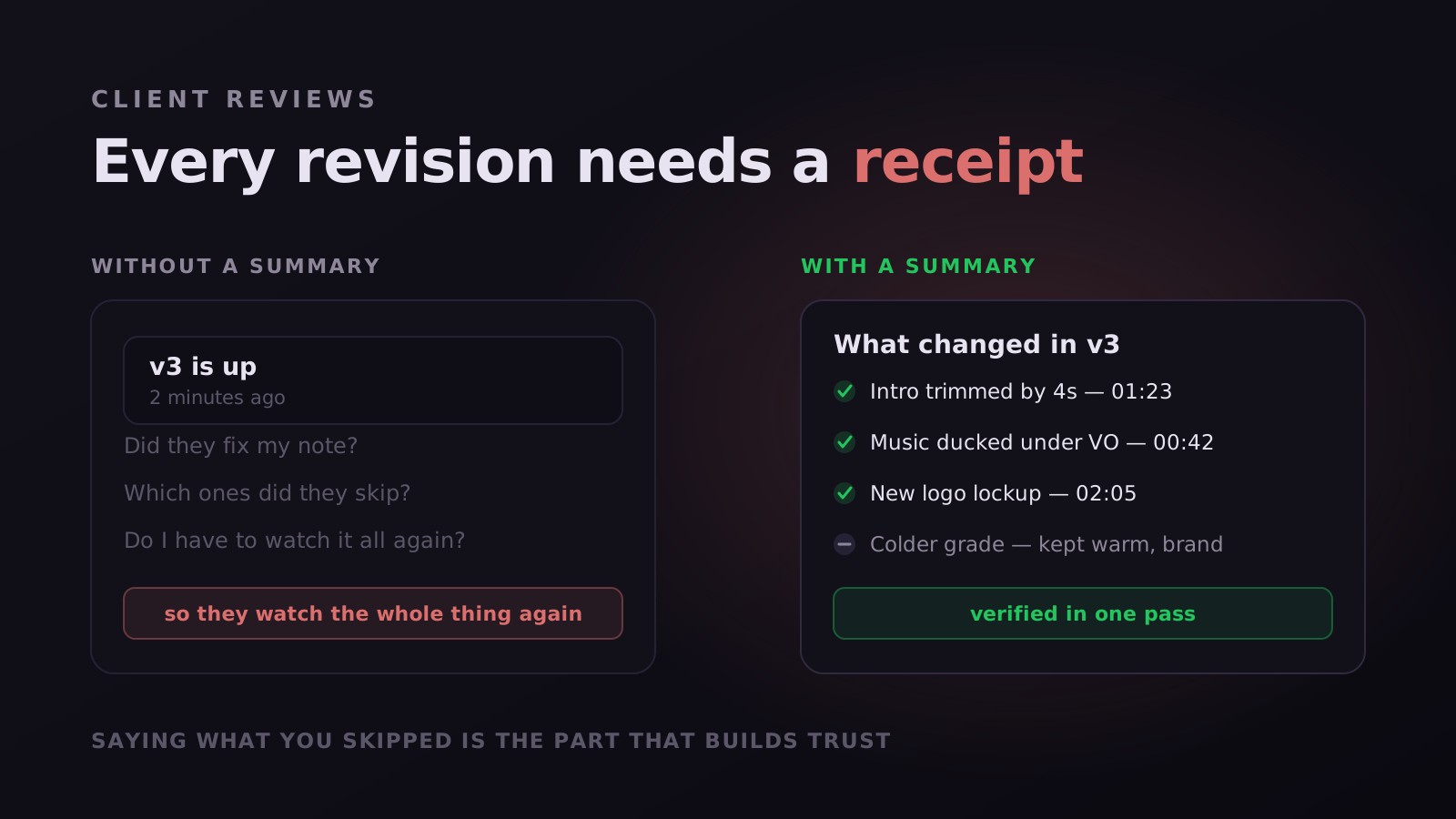
Magpiie auto-generates a revision summary when you publish a new draft. It lists every comment from the previous version, what state it's in (Resolved, In progress, Won't fix), and any notes you left explaining your decisions. The client opens V2 already knowing what to look for, and what was intentionally not changed.
What a good summary contains
- Each previous note, with its outcome, not a prose paragraph claiming everything is done
- A reason attached to anything deliberately not changed
- A link from each item to the exact frame, so verification is one click
- What changed that nobody asked for, flagged rather than buried
That last one matters more than it looks. Unrequested improvements are where trust is either built or quietly lost: surfaced, they read as craft; discovered later, they read as someone going off-brief.
It shortens the next round, too
A reviewer who can see which notes are closed reviews only what is open. That is the difference between a second round that takes twenty minutes and one that takes another full pass, and it is why summaries pay for themselves even on projects where trust was never in question.
Clients who see their feedback acknowledged, even when you push back, feel heard. The summary is the receipt. It turns "I addressed your notes" from a claim into a verifiable fact.
The five states a note can be in
A summary is only as good as the vocabulary underneath it. If every note is either open or closed, you will keep having the same argument, because most notes in a real production are neither. In Magpiie every change moves through the same five states, and they are the same whether the note sits on a cut, a short, a thumbnail, a script line, or an audio timestamp.
- Open. Raised, not yet started. The default, and the only state most tools model properly.
- In progress. Someone has picked it up. This one state removes most of the "did anyone see this?" messages, because the client can tell the difference between ignored and underway.
- Needs info. The note cannot be actioned as written. Rather than guessing, the editor pushes it back with a question attached, and it stops counting against the round.
- Resolved. Fixed and ready to verify. It disappears from the active list, not from the history.
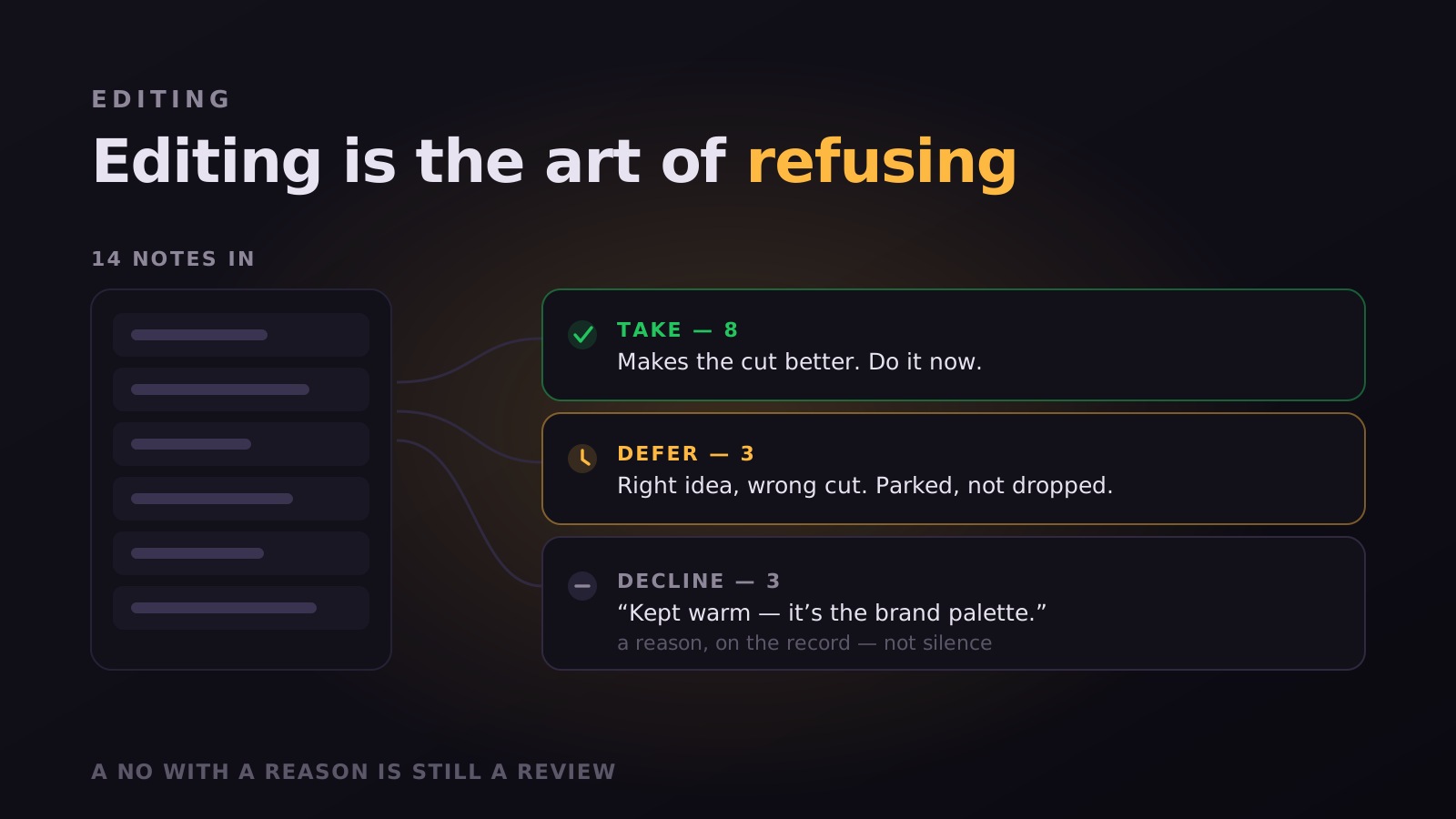
- Won't fix. A deliberate decision not to change something, with the reasoning attached. This is the state that keeps a rejected note from resurfacing three rounds later.
Won't fix is the state people skip when they build this themselves in a spreadsheet, and it is the most valuable one. A note you rejected silently looks identical to a note you missed. A note marked Won't fix with one sentence of reasoning is a decision the client can disagree with openly, which is a much shorter conversation than the one that starts with "you ignored my feedback".
What the summary is actually made of
Because every note carries a state, an author, a timestamp and a location, the summary is not something anyone writes by hand. It is a view over work that already happened. That distinction matters: a hand-written changelog is a claim, and a generated one is a record.
- Every note from the previous version, grouped by state, so Resolved and Won't fix are visibly different outcomes.
- A count per round, so "we closed 12 of 14" is a number rather than a feeling.
- A link from each item to the exact frame, script line or audio timestamp, so verification is one click rather than a scrub.
- The reasoning attached to anything marked Won't fix or Needs info.
- Release notes you add yourself, for changes nobody requested.
Improvements nobody asked for are where trust is either built or quietly lost. Surfaced in the summary, a regrade or a new music bed reads as craft. Discovered by the client in round three, the same change reads as someone going off-brief. Release notes travel with the version precisely so that never happens.
Verification, not re-review
The summary answers what changed. The harder question is whether each change actually landed, and that is a different job. When you upload the new cut, Compare pulls every prior note onto it, frame-accurately, with the previous round's markers ghosted onto the timeline as dashed outlines so they never get confused with this round's comments.
That turns the second round from a re-watch into a verification pass. The reviewer walks the list, jumps to each note, confirms or reopens. Reopening matters as much as confirming: if the fix did not land, the note goes back to Open on the new version rather than being retyped from scratch, and the history shows that it took two attempts. Regressions stop being folklore and become something you can point at.
What it does to the next round
A reviewer who can see which notes are closed reviews only what is open. That is the difference between a second round that takes twenty minutes and one that takes another full pass, and it is why summaries pay for themselves even on projects where trust was never in question.
There is a second effect that is easier to miss. When clients can see their notes tracked by state, they start writing better notes. Vague feedback produces a Needs info reply, and after that happens twice most people start pointing at the frame instead of describing it. The summary is a feedback loop aimed at the reviewer, not only a report aimed at you.
Writing the part a machine cannot
The generated part covers what happened. The sentence you add covers why, and it is the only part that requires you. Three rules make it worth reading.
- Lead with what you did not do. Anything marked Won't fix should be the first thing the client reads, not something they discover. Burying it looks evasive even when it is not.
- Give the reason in one sentence, not three. "Kept the longer intro because the pacing test showed drop-off at 0:12" is a decision. A paragraph of justification reads as a negotiation you already lost.
- Say what you want them to look at. A summary that ends with "please check 1:12 and 2:40 specifically" gets a faster reply than one that ends with "let me know your thoughts".
"I stopped writing "addressed your notes" the day I realised it sounded like a claim rather than a receipt."
Common questions
Does this work for thumbnails and scripts too? Yes. The states, the summary and the version history are identical across video, shorts, thumbnails, scripts and audio, which is the point: the package gets approved, not just the cut.
What if the client reopens something we marked Won't fix? Then you are having the disagreement out loud, which is the correct outcome. The reasoning is attached to the note, so the conversation starts from your rationale rather than from the accusation that you ignored them.
Is this available on the free plan? Revision summaries are a Studio Crew feature. Frame-accurate comments and version stacking are on every plan including Free, and Compare starts on Creator Crew.
Where the summary comes from in the workflow
It helps to see where this sits. A draft in Magpiie moves through a small set of statuses that everyone can see at a glance: Draft, Editing, In Review, Changes Requested, and Approved. The summary is what gets produced at the boundary between Changes Requested and the next In Review, which is exactly the moment a client is deciding how much attention to give the new cut.
That timing is the whole reason it works. A changelog written a week later is documentation. A summary attached to the version at the moment it is published is context, delivered to someone who is about to watch. The same words do a different job depending on when they arrive.
- The version stacks automatically, so V3 sits above V2 rather than becoming final_v3_REAL.mp4 in a folder.
- Every note keeps its author, timestamp and exact location, so the summary is assembled rather than remembered.
- The activity feed records the same events independently, so if anyone disputes the summary there is a second record that nobody wrote by hand.
- Reviewers are always pointed at the latest version, which quietly removes the most common cause of duplicate feedback.
Teams that adopt this usually report the same small surprise: the summary is more useful internally than externally. The client reads it once. The editor picking the project back up on Monday, or the producer covering for someone on leave, reads it to reconstruct where things stand without asking anyone.
Stop reading. Start shipping.
Try Magpiie on your next draft. 30-day free trial on Creator Crew, auto-renews and cancel anytime. Bring your team in five minutes.