'/%3e%3cpath%20d='M20%200C31.0454%200.000263888%2039.9999%208.95455%2040%2020C39.9999%2030.962%2031.1805%2039.8647%2020.25%2039.999C20.2428%2039.9991%2020.2348%2039.999%2020.2275%2039.999V40C20.2173%2040%2020.2065%2039.9991%2020.1963%2039.999C20.1311%2039.9996%2020.0653%2040%2020%2040V39.9941C18.9137%2039.9663%2017.8401%2039.7415%2016.835%2039.3252C15.76%2038.8799%2014.7828%2038.227%2013.96%2037.4043C13.137%2036.5813%2012.4835%2035.6036%2012.0381%2034.5283C11.5928%2033.4531%2011.3633%2032.3005%2011.3633%2031.1367V21.1904L15%2023.29V31.1367C15%2031.823%2015.1358%2032.5026%2015.3984%2033.1367C15.6611%2033.7708%2016.0459%2034.3477%2016.5312%2034.833C17.0164%2035.3181%2017.5927%2035.7032%2018.2266%2035.9658C18.842%2036.2207%2019.5013%2036.3546%2020.167%2036.3623C20.1795%2036.3622%2020.1925%2036.3625%2020.2051%2036.3623C29.1474%2036.2525%2036.3632%2028.9687%2036.3633%2020C36.3632%2010.9629%2029.0371%203.63698%2020%203.63672C18.3456%203.63673%2016.7505%203.88277%2015.248%204.33789L11.2344%202.01953C11.3217%201.97623%2011.4102%201.93338%2011.499%201.8916C14.081%200.677617%2016.9642%201.31978e-05%2020%200Z'%20fill='url(%23paint1_linear_3622_27254)'/%3e%3ccircle%20cx='13.179'%20cy='17.2727'%20r='2.27273'%20fill='%237F6AA0'/%3e%3cdefs%3e%3clinearGradient%20id='paint0_linear_3622_27254'%20x1='32.2865'%20y1='6.36342'%20x2='-0.0294657'%20y2='36.0851'%20gradientUnits='userSpaceOnUse'%3e%3cstop%20offset='0.163105'%20stop-color='%23D76F70'/%3e%3cstop%20offset='1'%20stop-color='%237F6AA0'/%3e%3c/linearGradient%3e%3clinearGradient%20id='paint1_linear_3622_27254'%20x1='40'%20y1='0'%20x2='9.66985'%20y2='38.7763'%20gradientUnits='userSpaceOnUse'%3e%3cstop%20stop-color='%23DB6F6E'/%3e%3cstop%20offset='1'%20stop-color='%23F7BA29'/%3e%3c/linearGradient%3e%3c/defs%3e%3c/svg%3e)
We make one of the two products on this page, so read it accordingly. What we can do is be specific and checkable: real prices, real limits, and the parts where Frame.io is simply the better tool. If you finish this and stay where you are, the page did its job.
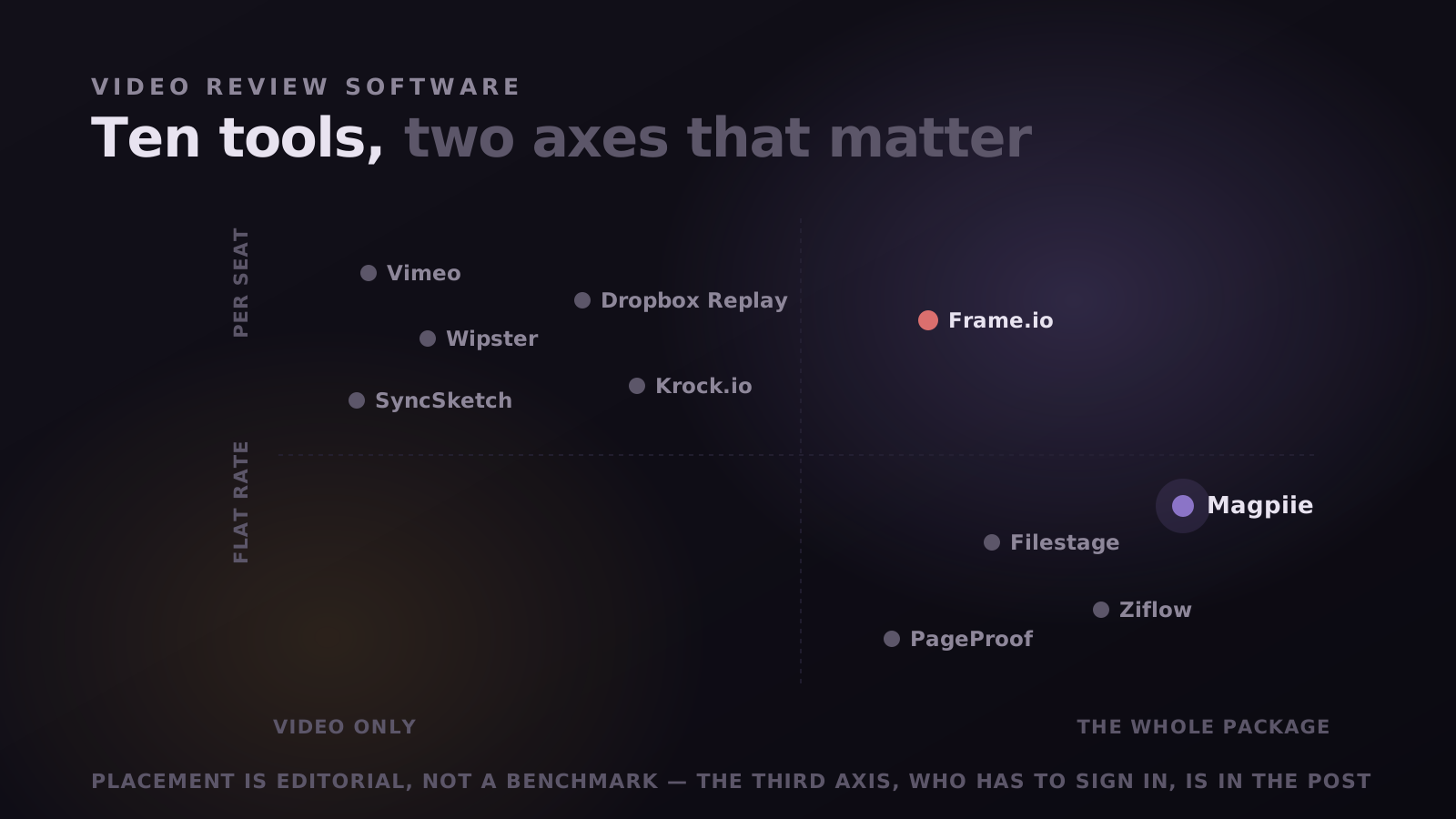
The short version: Frame.io is a media platform built around video, storage, and the Adobe production stack. Magpiie is a review workspace for the whole draft (video, thumbnails, scripts, and audio) priced flat per plan instead of per seat. They overlap on review and diverge almost everywhere else.
Where Frame.io is the better choice
These are real advantages, not throat-clearing before the sales pitch. If any one of them is load-bearing for how you work, the rest of this post is academic.
- Camera to Cloud. Footage uploads from the camera while the shoot is still running, so an editor can start cutting before the crew wraps. Magpiie has no equivalent, and you upload once the shoot is done.
- Native Adobe panels. Frame.io lives inside Premiere Pro and After Effects, so comments arrive in the timeline. Magpiie is editor-agnostic, which means it works with any NLE, but it is a browser tab rather than a panel.
- Raw storage volume. Terabytes per plan, plus more with every seat. If you archive camera originals and masters in the same place you review, that ceiling matters.
- Large-org controls. Forensic and session-based watermarking, DRM, and multiple workspaces at the enterprise tier. If your deliverables are under embargo, that is a requirement, not a checkbox.
"If your bottleneck is the shoot, buy Frame.io. If your bottleneck is the feedback round, keep reading."
Where Magpiie is the better choice
Magpiie is built for YouTube content creators, creator agencies, and movie and short-film production houses. For all three, the slowest part of shipping is rarely capture or export. It is the days spent waiting on a client or a channel owner who cannot work out how to leave a comment, and the notes that arrive scattered across WhatsApp, email, and a phone call.
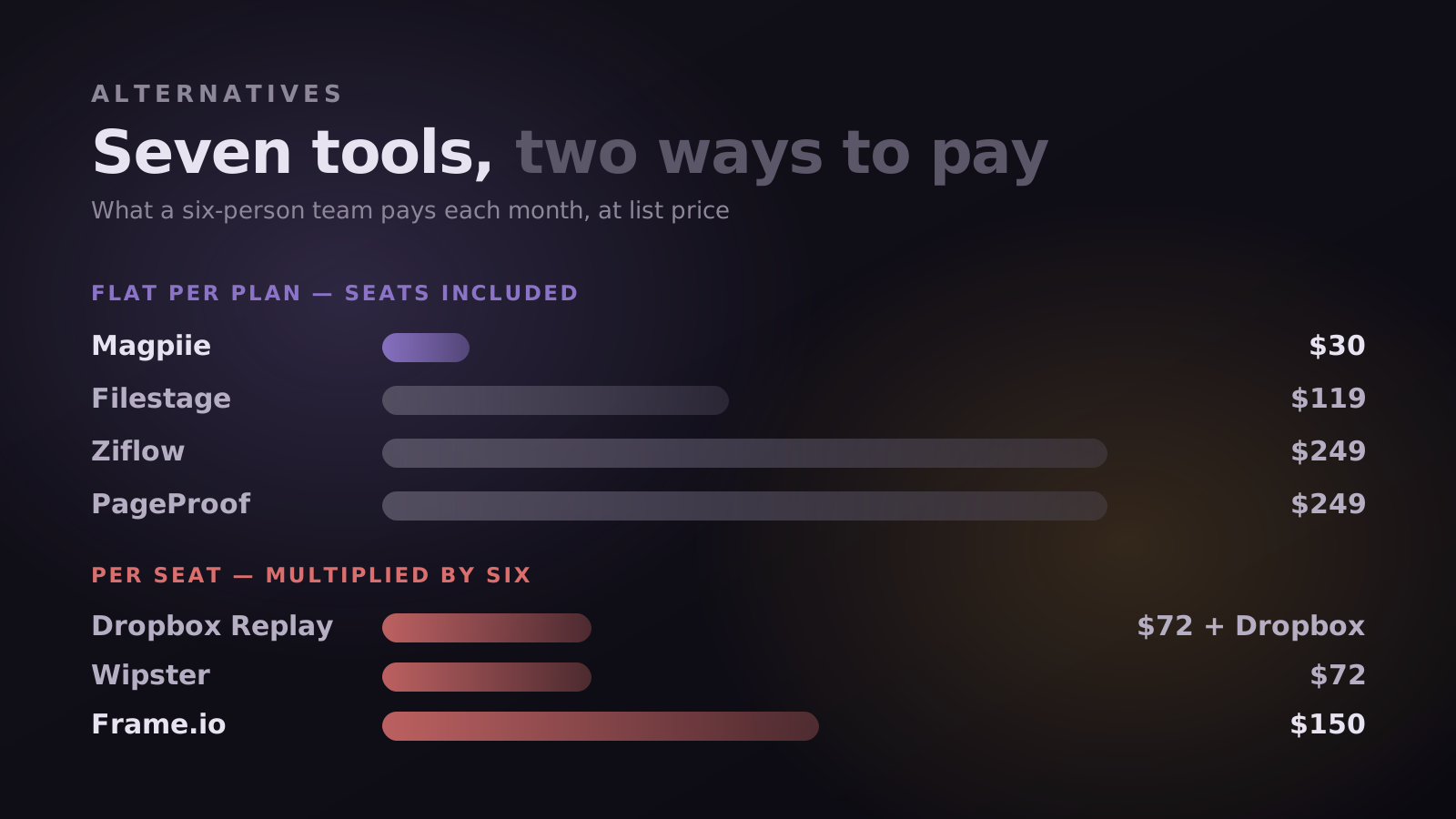
- Your bill does not grow with your team. One flat price per plan, seats included. Frame.io charges per user, so every producer, freelancer, and reviewer is another line on the invoice.
- Clients review without an account. They open a link, click the frame, type, and send. No signup, no Adobe account, no onboarding call.
- The whole draft, not just the video. Thumbnails, scripts, and audio get the same commenting and version history as the cut, instead of living in a doc nobody can find later.
- Revisions carry their history. Upload a new cut and Magpiie stacks the version, keeps every prior decision, and carries unresolved frame-accurate notes onto the new one.
- Nothing to unlearn. Upload, comment, revise, approve. No media-management layer to configure before your first review.
The full breakdown, row by row
Same questions asked of both products. Where one clearly leads, the cell is tinted, including the rows where that is Frame.io.
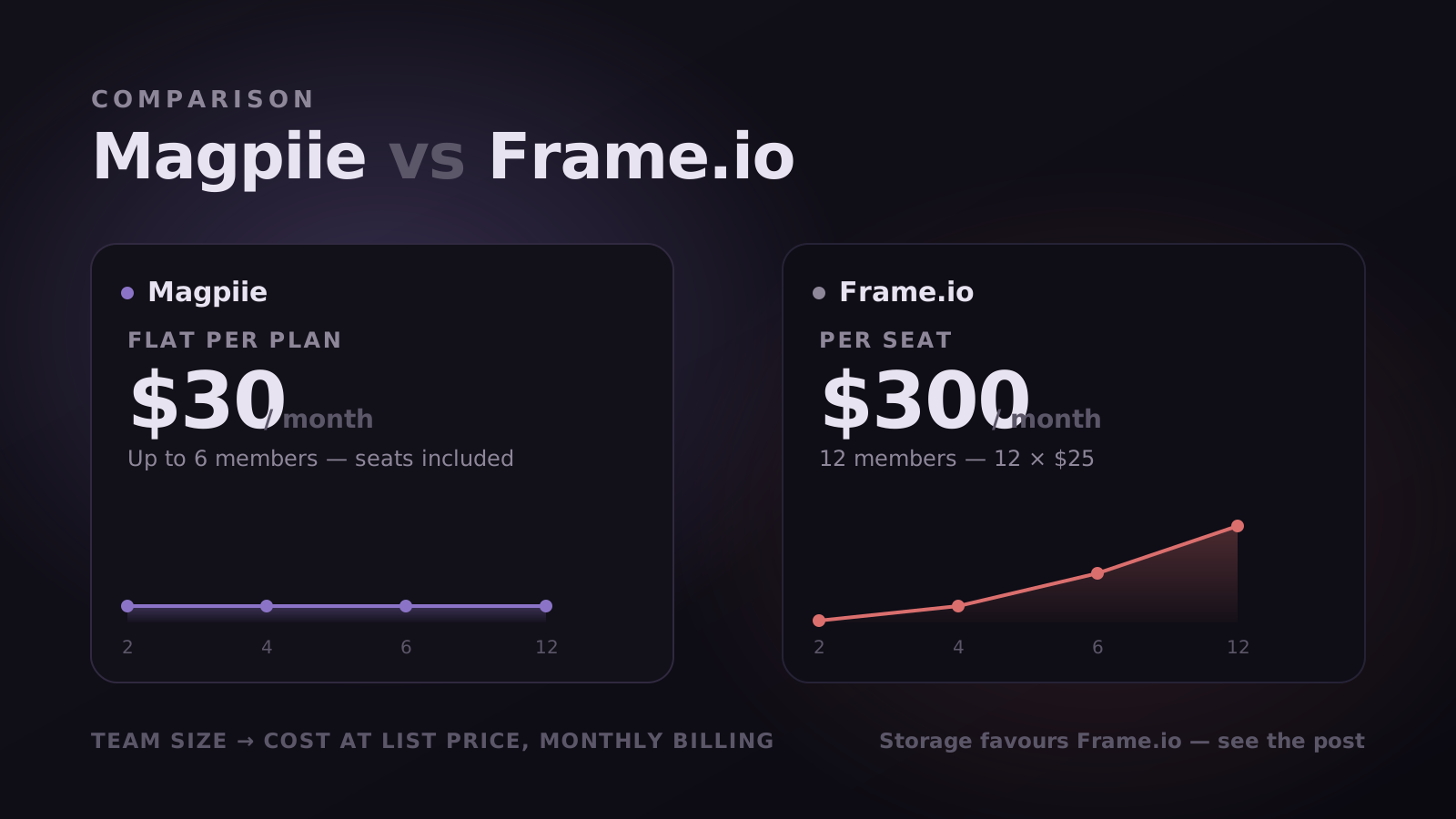
Per seat vs flat rate, at four team sizes
Monthly billing, list prices, no discounts applied. Frame.io figures are seats multiplied by their per-user price at the tier that admits that many members: Pro at $15 up to five, Team at $25 up to fifteen. Check the arithmetic, that is the point of showing it.
Frame.io includes considerably more storage at every paid tier: terabytes, plus more per seat. If you keep camera originals and finished masters where you review them, their price is buying storage we are not selling. The seat math favours us; the storage math favours them. Which one decides it depends on whether your problem is headcount or terabytes.
What a review round actually looks like in each
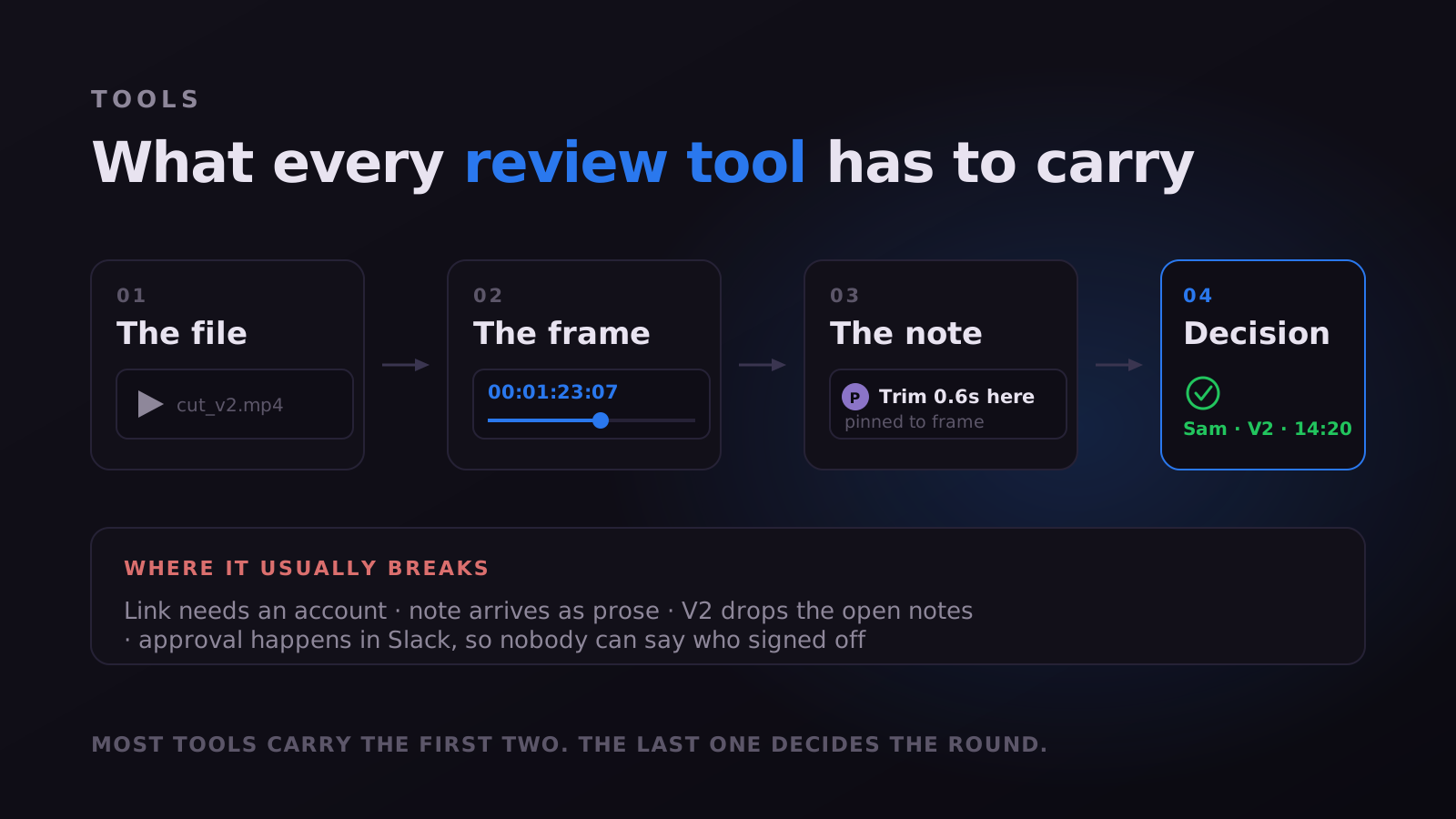
Feature rows flatten the thing that matters most, which is the shape of one round. Both tools upload a file and collect timestamped comments. What differs is everything around that: how a reviewer gets in, how precise their note can be, what happens to it afterwards, and how anyone knows the round is over.
Getting in is the first divergence. Magpiie has two link types and they do different jobs. A secure review link is for the person whose feedback you actually want: they open it, watch, click the frame, type, send, with no account at any point. A public link is watch-only, for wider circulation where people should see the cut but not annotate it. Frame.io shares links for viewing, but fuller collaboration expects an Adobe account, and for an external client that wall arrives at exactly the wrong moment.
Precision is the second. A note in Magpiie is not just a timestamp and a sentence. It carries a category, visual, audio, text, timing or graphics, so an editor can batch by discipline rather than working in the arbitrary order notes arrived. It carries a priority, Must Fix or Suggestion, so urgency is stated rather than inferred from tone. And when words fail, the reviewer can draw freehand on the frame, which for thumbnails is often the difference between one round and three.
- Open. Raised, nobody has started.
- In progress. Someone owns it, which removes most of the "did anyone see this?" chasing.
- Needs info. Not actionable as written, so it goes back as a question rather than becoming a confident wrong guess.
- Resolved. Fixed and ready to verify. It leaves the active list, not the history.
- Won't fix. A deliberate decision with the reasoning attached, so a rejected note stops resurfacing three rounds later.
Both tools handle versions well. The difference is what the next round costs. In Magpiie the prior round's notes sync onto the new cut frame-accurately, ghosting onto the timeline as dashed outline markers so they never blur into this round's comments, each keeping its own state. The second round becomes a walk down a list rather than a re-watch with a comment thread open beside it.
How the round ends, and who can prove it
The least discussed difference is the ending. A comment thread going quiet is ambiguous: it might mean approved, might mean busy, might mean waiting on someone else. Teams routinely sit on a cut that was already accepted because nobody said so explicitly.
In Magpiie every draft carries a status anyone can see at a glance, Draft, Editing, In Review, Changes Requested, or Approved, and a reviewer either approves that version or requests changes. A readiness indicator shows whether every blocking note is closed, with suggestions listed separately so a passing idea never masquerades as an obstacle. When a production manager approves, the sign-off is timestamped against that specific cut, which turns "I thought we agreed" into a lookup.
Underneath that, an activity record writes itself as work happens: who requested each change, when each revision was uploaded and by whom, comment activity per draft and per reviewer. Nobody keeps a side log, which is the only reason the record still exists a month later when a client returns with one more change.
Follow-up is usually a person's job, which means it happens late and apologetically. Magpiie notifies editors the instant feedback lands and reviewers when a new revision is ready, surfaces reminders on reviews that have gone quiet, and lets each person set their own volume including a digest instead of live pings. Reviewers are always pointed at the latest version, which removes the expensive failure of careful feedback arriving on a cut you replaced two days ago.
None of this outweighs Camera to Cloud if your bottleneck is the shoot. It is simply a different set of things to be good at, and worth seeing side by side before deciding which set you actually need.
So which one should you actually use?
Stay with Frame.io if you need footage moving off the camera mid-shoot, your editors want comments inside the Premiere timeline, you are archiving masters in the same tool you review in, or you need forensic watermarking and a signed enterprise SLA.
Choose Magpiie if you are a YouTube creator, a creator agency, or a small film or short-film house whose slowest step is waiting on feedback rather than shooting or exporting. If clients regularly fail to log in, if you review thumbnails and scripts and audio alongside the cut, or if a per-seat bill is starting to sting as you add people, the trade favours us. Plenty of teams run both: the shoot in one, the review rounds in the other.
Who Magpiie is actually built for
Frame.io was designed around a film set: a crew, a camera, and an Adobe timeline. Magpiie was designed around a publishing schedule. That difference is why the three groups below tend to get more out of it than a broadcast facility would.
- YouTube content creators. A video is never just the video. The thumbnail, the title, the script, and the voiceover all need sign-off before publish, and in most tools three of those live somewhere else entirely. In Magpiie they are versions of the same project, commented the same way, so nothing ships with an approved cut and an unapproved thumbnail.
- Creator agencies. You are running many channels for many clients, and the client is the bottleneck you cannot control. A review link that needs no signup and no Adobe account is the difference between notes on Tuesday and notes next week. Flat per-plan pricing also means adding an editor or a freelance producer does not change the invoice.
- Movie and short-film production houses. Between the shoot and the festival cut there are rounds with a director, a producer, a colourist, and often a financier who has never opened a review tool. Frame-accurate notes, version stacking, and a timestamped approval per cut give you a record of who signed off on what, without handing everyone a seat.
If you are a broadcast facility with camera originals to archive and an on-set upload pipeline, none of the above outweighs Camera to Cloud. That is a genuinely different job, and Frame.io does it better.
The two products are heading in different directions
A feature comparison is a snapshot, and a subscription is not. Over three years you are living with where each product is going, not only where it is today, and on that question the two of us are not really competing at all.
Frame.io is deepening its position as media infrastructure inside the Adobe stack: capture, transfer, storage, and the production pipeline around them. That is a coherent bet and a well-funded one. Ours is different. We are building along three tracks: Coordination, making production legible so less of it lives in Slack; Insight, turning the work and the audience into decisions; and Creative and AI, reducing friction around the creative parts of the job rather than automating them.
- Shipped and in use today: frame-accurate commenting across video, thumbnails, scripts and audio; Compare and Smart Revisions, carrying every prior note onto the new cut as a clean diff; and Collaboration Hub, the real-time workspace tied to the cut.
- In private beta now: workflow and task management, which is Tasks and Accountability, per-stage boards with auto-assignment and an audit trail, alongside Auto-Sync Workflow, where upload triggers assignment and approval triggers publish. Cinematic Storage and an optional AI Co-Pilot are also in beta.
- Still ahead: Mood Boards, YouTube Analytics naming which twelve seconds to re-cut, Scripting Studio putting timestamped script segments on the player timeline, YouTube Publishing so a green readiness chip becomes a scheduled upload, Brand Guidelines with inline checks, and Performance Tracking.
The short version: Frame.io is becoming a better place to move and store footage. We are trying to become the place a piece of content goes from idea to published, with review as the spine. If the first description is the problem you actually have, that is a good reason to stay put, and dates on any roadmap including ours should be read as intent rather than contract.
What switching actually looks like
Nobody should move a live production between tools mid-flight. Run them side by side for one project and let the result decide.
- Pick the next project that starts fresh and run it in Magpiie, while everything in flight stays where it is. One full cycle tells you more than any feature list.
- Send the client link first. The client is the variable you cannot control, so test them earliest, and whether feedback arrives without a chasing email is usually the whole decision.
- Leave finished work where it is. Comment threads do not transfer between the two, and closed feedback on delivered work is rarely reopened.
- Once a second project runs cleanly, move the team and drop your Frame.io seat count at renewal rather than mid-cycle.
Frame.io pricing and plan limits were checked against their public pricing page in September 2026, and both companies change pricing without notice, so confirm on their site before deciding on cost alone. Magpiie is not affiliated with or endorsed by Frame.io or Adobe. If something here is out of date, tell us and we will correct it.
Stop reading. Start shipping.
Try Magpiie on your next draft. 30-day free trial on Creator Crew, auto-renews and cancel anytime. Bring your team in five minutes.